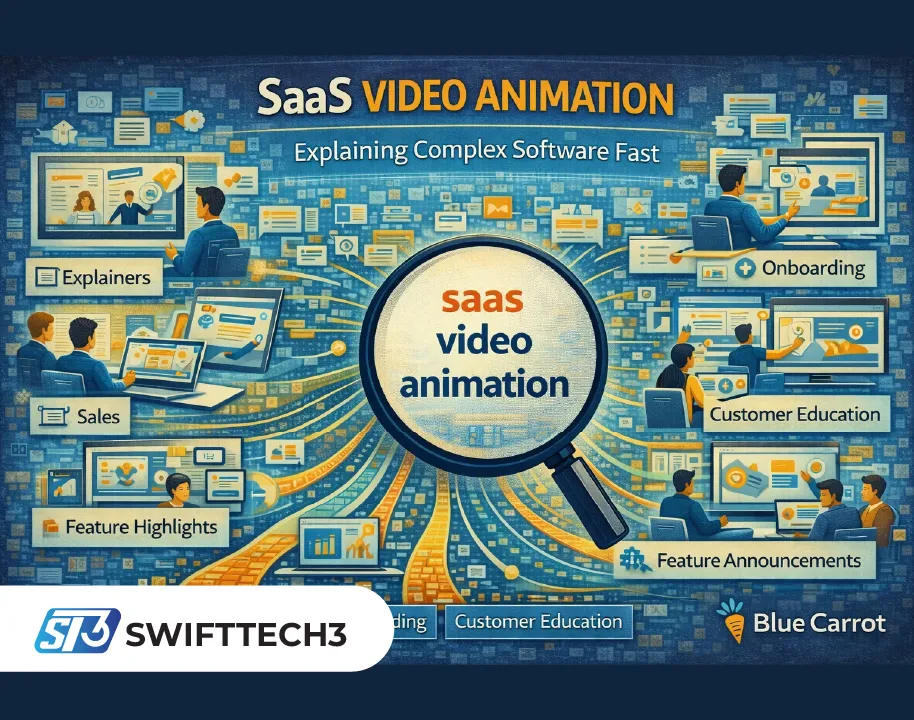
SaaS companies win when people understand them fast. That sounds simple, but most software products are layered: multiple features, different user roles, and workflows that make sense only after you see them in action. Text alone can’t always bridge that gap, and product screenshots can feel overwhelming without context. That’s why saas video animation has become a go-to format for SaaS marketing and customer education—it turns abstract value into a clear story, compresses complexity, and creates a polished first impression that builds trust.
Why animation works so well for SaaS
Software is invisible until it’s experienced. Animation helps you show what the product does and why it matters without being limited to a specific UI screen or version. Instead of forcing viewers to interpret dense interfaces, animation can visualize workflows, benefits, integrations, and outcomes in a simplified way.
It also gives you control over pacing and attention. You can highlight exactly what matters—one pain point, one transformation, one differentiator—without distractions. For SaaS teams, that control is especially valuable because prospects often decide within seconds whether to keep watching.
The moments where animated video delivers the biggest impact
Animated explainer videos are often used on homepages and landing pages to communicate the core promise quickly. They help top-of-funnel audiences understand what the product is, who it’s for, and why it’s different.
Mid-funnel audiences benefit from short animated feature highlights that answer objections and clarify “how it works” without turning into a full demo. Sales teams use animation to introduce the product in outreach, decks, and follow-ups—especially when they need a consistent pitch across markets or industries.
Customer success teams use animation for onboarding and adoption, particularly for conceptual topics: permissions, workflows, integrations, or best practices. Product teams use it for feature announcements when the UI is still evolving or when the update involves a behind-the-scenes improvement that’s hard to show with screen recordings.
Types of SaaS animation styles and what each is best for
2D motion graphics are the most common format: clean typography, iconography, abstract UI elements, and simple characters or devices. This style is flexible, scalable, and great for explaining concepts quickly.
UI-inspired animation mimics interface elements without showing the real UI. It’s useful when the product changes frequently or when you want to keep the video timeless.
Character-led animation can humanize the story and make the problem feel relatable. It works well for SMB products, internal tools, and solutions where daily workflow pain is the main hook.
Hybrid videos combine animation with real UI footage. This is a powerful approach when you need both clarity and proof: animation sets context and simplifies, then the actual UI confirms the product is real and functional.
How to write a SaaS animation script that converts
Great animation starts with great writing. A strong script usually follows a clear arc: the pain → why it’s frustrating → the better approach → how your product enables it → the outcomes → the next step.
The key is specificity. Avoid broad statements like “improve efficiency.” Replace them with real situations: manual reporting, scattered tools, missed approvals, slow onboarding, inconsistent handoffs, unclear ownership, or hard-to-track performance. The more the viewer feels “this is my problem,” the more they trust the solution.
Also keep the message focused. One video should deliver one main promise. If you try to include every feature, you’ll end up with a fast slideshow that viewers can’t remember.
Storyboarding: where SaaS videos are won or lost
Storyboarding is not a formality. It’s the moment where you translate the script into visuals, pacing, and on-screen hierarchy. For SaaS animation, the storyboard should show exactly how each line is visualized: icons, UI metaphors, transitions, and where attention is guided.
A strong storyboard also plans for silent viewing. Many viewers watch without sound, especially on social platforms. On-screen text, clear visuals, and bold message framing should carry the story even without narration.
Design choices that keep the video timeless
SaaS products change. If your animation is tied too tightly to a specific UI screenshot or a short-lived visual trend, it can become outdated quickly. Timeless design is usually clean, minimal, and brand-consistent: strong typography, simple shapes, clear iconography, and a controlled color palette aligned with brand guidelines.
If you need to reference UI, consider abstracted UI elements or a hybrid approach where only a small portion of the video relies on real screens. That keeps the asset useful longer and reduces rework.
Production workflow that stays efficient
A reliable animation workflow usually includes: discovery and goal definition → script → storyboard → style frames → animation production → voiceover → sound design → final exports and cutdowns.
Efficiency comes from aligning stakeholders early. Approve the script and storyboard before animation begins. Approve style frames before building scenes. This prevents costly revisions later and keeps delivery predictable.
Distribution: one video, many versions
A SaaS animated video should be designed for reuse. The main version might be 60–90 seconds for a landing page. You can also create 15–30 second cutdowns for ads and social, a shorter intro for sales outreach, and modular clips that highlight individual features.
Planning these variants early helps you build scenes that can be rearranged or trimmed without breaking the story. It also keeps messaging consistent across channels.
Measuring success: what to track
For marketing videos, track play rate, watch time, click-through rate, and conversion lift on the page where the video lives. for ads, track view-through rates and downstream actions like demo requests or trial starts. For onboarding and customer education, track activation metrics, feature adoption, and support ticket reduction.
The best measurement approach is to assign each video one primary goal. When the goal is clear, optimization becomes much easier.
A note on Blue Carrot
Blue Carrot is known for producing animated videos and eLearning content, and that combination fits SaaS teams particularly well. SaaS videos often need to do more than “look good”—they need to teach, reduce confusion, and guide viewers toward a next step. A studio that understands both storytelling and instructional clarity can help create animations that perform across marketing, sales enablement, and customer onboarding, not just at the awareness stage.
Common mistakes to avoid
Avoid making the video a feature list. avoid vague messaging that could apply to any product. Avoid long intros that delay the value, avoid overly complex visuals that distract from the point. avoid ignoring brand consistency—your video should look like your product belongs in the same world as your website and UI.
Also avoid skipping audience definition. A video for founders is different from a video for end users. When you try to speak to everyone, you often connect with no one.
The long-term value of SaaS animation
A high-quality animated video is an asset that keeps working. It can increase landing page conversion, support sales conversations, accelerate onboarding, and reduce support load by explaining concepts clearly. Over time, it becomes part of the product narrative: the way people understand your value before they ever log in.
When built with a focused message, timeless design, and smart distribution, saas video animation becomes one of the most efficient ways to turn complex software into a story people can instantly understand—and want to act on.
For More Similar Articles Visits: Swifttech3