Introduction
Enterprise video content is growing at an unprecedented pace. Organizations now produce training videos, webinars, product demonstrations, internal communications, marketing campaigns, and customer support content at a scale that was uncommon just a few years ago. As video libraries expand from gigabytes to terabytes and eventually petabytes, selecting the right video content management software becomes more than a software procurement decision—it becomes a critical infrastructure choice.
When the product team asks for a better way to manage the company’s growing video library, the engineering team faces a choice that looks deceptively simple on the surface: find a platform, evaluate a few options, recommend one. In practice, the technical requirements of video content management software are distinct enough from general-purpose software evaluation that teams without specific experience in this domain frequently underestimate the complexity and end up with implementations that perform well in demos but poorly in production.
This guide covers the technical considerations that matter most when evaluating, integrating, and operating video content management software—specifically for engineers and operations teams rather than content managers. It also explores related concepts such as Media Asset Management (MAM), Digital Asset Management (DAM), enterprise video hosting, video workflow automation, and scalable VOD architecture.
What Is Video Content Management Software?
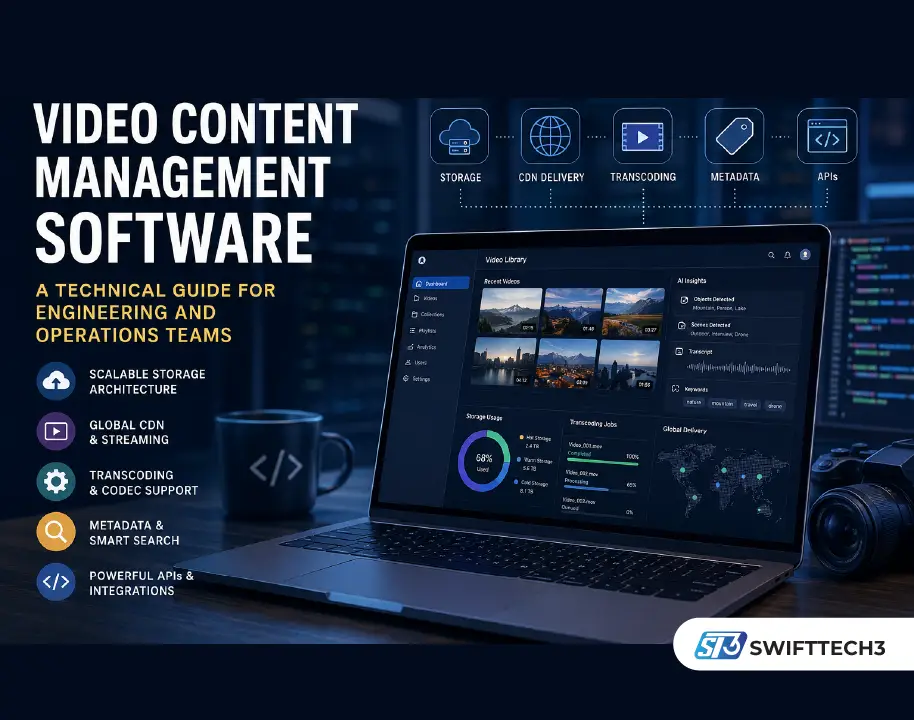
Video content management software is a platform designed to store, organize, process, search, secure, and distribute video assets across an organization. Unlike general file management solutions, these platforms are built specifically for video workflows and typically include storage management, transcoding infrastructure, metadata systems, search capabilities, AI-powered tagging, access controls, and developer APIs.
For engineering teams, the platform’s technical architecture often matters more than its user interface because long-term scalability, integration flexibility, and operational efficiency determine whether the solution remains effective as content volumes grow.
Storage Architecture at Video Scale
The first technical concern is storage architecture. Video files are among the largest objects any business system routinely handles. A single project may involve terabytes of raw footage. At scale, a video library can run to petabytes.
The storage architecture of the platform needs to be evaluated for cost efficiency, retrieval performance, scalability, and operational simplicity at the scale your organization will actually operate.
CDN Integration and Global Delivery
CDN integration is non-negotiable for any platform serving content to distributed users. The platform should support edge delivery of video content, intelligent routing to the nearest edge location, and adaptive bitrate streaming for smooth playback previews.
Major infrastructure providers such as Amazon Web Services, Cloudflare, Google Cloud, and Akamai Technologies have demonstrated how critical global content delivery networks are for reducing latency and improving user experience.
Organizations with international audiences should evaluate:
- Geographic coverage
- Edge node availability
- Cache efficiency
- Video delivery latency
- Streaming reliability during traffic spikes
Object Storage Tiering
Object storage tiering—the ability to automatically move infrequently accessed assets from hot storage to lower-cost cold storage without affecting retrieval availability—is a significant cost management capability for large archives.
Cloud providers commonly offer lifecycle policies that transition data between storage tiers automatically. For organizations managing thousands of video assets, this capability can dramatically reduce operational costs while preserving accessibility.
Benefits of Scalable Storage Architecture
- Lower infrastructure costs
- Faster content retrieval
- Improved operational efficiency
- Better disaster recovery capabilities
- Simplified archive management
- Future-proof scalability
Codec and Format Support
A video content management platform that does not support the codecs your production team uses is not a viable candidate.
Codec support varies significantly across platforms and is often underspecified in vendor documentation. Engineering teams should create a complete inventory of formats used across acquisition, editing, delivery, and archival workflows before evaluating solutions.
Common Video Codec Categories
| Category | Examples | Primary Purpose |
|---|---|---|
| Acquisition Codecs | ARRI RAW, RED RAW, Canon Cinema RAW | Camera capture |
| Editing Codecs | ProRes, DNxHD | Post-production workflows |
| Distribution Codecs | H.264, H.265/HEVC | Streaming and delivery |
Professional production teams frequently rely on acquisition formats that require specialized handling. Purpose-built video asset management systems generally support these formats more effectively than generic enterprise storage platforms.
Transcoding Infrastructure
Transcoding infrastructure is equally important.
The platform must generate required output formats from source files at scale while supporting configurable output profiles and queue management systems capable of handling large ingestion volumes.
Evaluate transcoding throughput—not just transcoding capability.
A platform may successfully transcode a single file but struggle when processing hundreds or thousands simultaneously. This distinction often becomes apparent only after deployment.
Common Mistakes During Evaluation
- Testing only small sample files
- Ignoring batch processing performance
- Overlooking future format requirements
- Assuming codec support equals workflow compatibility
- Failing to benchmark transcoding throughput
Metadata Architecture and Extensibility
The metadata architecture is where many platform evaluations fail to go deep enough.
While storage and playback features are easy to demonstrate, metadata systems ultimately determine how efficiently teams can find, organize, and automate content workflows.
Flexible Data Models Matter
The underlying data model should support:
- Custom metadata fields
- Controlled vocabularies
- Asset relationships
- Workflow-specific attributes
- Future schema extensions
A rigid metadata structure that requires vendor intervention for customization can quickly become a long-term operational limitation.
Search and Indexing Performance
The effectiveness of search depends entirely on indexing quality.
Engineering teams should understand:
- Which fields are indexed
- Whether transcripts are searchable
- AI-generated tag indexing capabilities
- Search latency after ingestion
- Reindexing processes
The best platforms combine transcripts, metadata, AI-generated insights, and custom fields into a unified search experience.
AI-Powered Metadata Generation
Many modern video content management software solutions now include AI and machine learning capabilities.
These features commonly provide:
- Automatic transcription
- Speaker identification
- Object recognition
- Scene detection
- Sentiment analysis
- Keyword extraction
However, model performance varies considerably depending on content type. Organizations should request benchmark data using content that closely resembles their own production environments.
Integration and API Quality
The API is where the platform meets the rest of your technology stack.
For engineering teams, API quality is often more important than individual platform features because APIs determine how effectively the solution integrates into existing workflows.
API Evaluation Checklist
| Feature | Why It Matters |
| REST APIs | Broad compatibility |
| GraphQL Support | Flexible data retrieval |
| OAuth 2.0 | Secure authentication |
| Webhooks | Event-driven workflows |
| SDK Availability | Faster development |
| Rate Limits | Scalability planning |
| Documentation | Reduced implementation time |
Event-Driven Architecture
For video workflows, webhook architecture deserves particular attention.
When a video is uploaded and processed:
- How are downstream systems notified?
- What metadata is included?
- Can workflows trigger automatically?
- How reliable are delivery guarantees?
Strong webhook implementations significantly reduce manual intervention and enable workflow automation.
API Testing Best Practices
Build a Proof of Concept
Always test integrations before committing to a platform.
Benchmark Real Workloads
Evaluate performance under realistic traffic conditions.
Review Documentation Quality
Developer documentation often reveals the maturity of the platform itself.
Personal Experience
While evaluating media asset management platforms for content-heavy environments, I learned that the most impressive demonstrations rarely reveal operational challenges.
One platform we assessed provided excellent search capabilities and a polished user interface, but performance degraded noticeably when processing large batches of video files simultaneously. Another solution appeared less visually impressive yet offered stronger APIs, more reliable webhooks, and significantly better long-term scalability.
One practical lesson was that storage costs often receive significant attention during procurement, while metadata architecture receives very little discussion. Six months after deployment, however, searchability and workflow automation became more important to daily operations than storage itself.
That experience reinforced how critical flexible metadata systems are for long-term operational success. A platform that integrates naturally into existing workflows often delivers more value than one with a larger feature list but weaker technical foundations.
Frequently Asked Questions
What is video content management software?
Video content management software is a platform used to store, organize, process, search, secure, and distribute video assets across an organization.
What is the difference between DAM and MAM?
Digital Asset Management (DAM) systems manage a wide variety of digital assets, while Media Asset Management (MAM) platforms are specifically optimized for video, audio, and broadcast media workflows.
Why is storage architecture important?
Video files consume substantial storage resources. Efficient architecture improves scalability, retrieval performance, and long-term cost management.
What role does AI play in video asset management?
AI helps automate transcription, tagging, metadata generation, object recognition, content analysis, and search optimization.
Why are APIs important in video management platforms?
APIs enable integration with existing systems, support workflow automation, and allow organizations to build custom solutions around video assets.
How do engineering teams evaluate platform scalability?
Teams typically evaluate storage architecture, transcoding throughput, API performance, search indexing speed, webhook reliability, and infrastructure flexibility.
How much storage does an enterprise video library require?
Requirements vary significantly, but large organizations often manage terabytes or even petabytes of video content depending on production volume and retention policies.
What is adaptive bitrate streaming?
Adaptive bitrate streaming dynamically adjusts video quality based on network conditions to provide smooth playback experiences.
Which industries benefit most from video content management software?
Media, entertainment, education, healthcare, corporate communications, e-learning, marketing, and broadcasting organizations commonly benefit from these platforms.
Conclusion
Selecting video content management software requires far more than comparing feature lists. Engineering and operations teams must evaluate storage architecture, CDN integration, codec compatibility, metadata flexibility, search capabilities, AI-powered automation, and API quality to ensure long-term success.
The strongest platforms are not necessarily those with the largest marketing budgets or longest feature lists. They are the solutions built on scalable technical foundations that integrate cleanly into existing infrastructure and continue performing reliably as content volumes grow.
Before making a final decision, conduct realistic performance testing, validate workflow integrations, benchmark transcoding throughput, and carefully assess metadata flexibility. These factors often determine long-term success far more than any feature highlighted during a vendor demonstration.
Actionable Takeaways
- Audit current and future storage requirements.
- Verify codec and format compatibility before evaluation.
- Prioritize metadata flexibility and search quality.
- Test APIs and webhooks using real workflows.
- Benchmark transcoding performance at scale.
- Consider long-term operational costs, not just licensing fees.
- Evaluate AI capabilities using your own content types.
- Focus on infrastructure quality over marketing features.
Visit: Swifttech3