


Summary
- Successful founders build a strategic toolkit of social media apps—not rely on a single, expensive platform—to manage their online presence efficiently.
- This guide covers 10 essential tools tailored for a founder’s limited time and budget, from all-in-one schedulers like Buffer to visual creation tools like Canva.
- A major productivity bottleneck is managing high-value conversations in direct messages, especially on LinkedIn where critical opportunities are often lost.
- To prevent missed opportunities, founders can use a specialized tool like Kondo to organize their chaotic LinkedIn inbox with labels, reminders, and keyboard shortcuts.
You’ve built a product, assembled a team, and are hustling to get traction—but your social media feels like a full-time job you don’t have time for. Meanwhile, posts need scheduling, DMs pile up unanswered, and tracking what’s working seems impossible amidst everything else demanding your attention.
As one founder on Reddit put it, “I want something that integrates seamlessly across different profiles,” while another lamented that many tools are “too cumbersome and expensive” for their brand. The frustration is real: you need to maintain a presence across platforms without letting it consume precious hours better spent on product development and customer acquisition.
The truth is, successful founders don’t rely on a single magical app. Instead, they build a strategic toolkit—combining broad management platforms with specialized productivity enhancers that address specific pain points in their workflow. This curated list will walk you through the 10 most impactful tools to build that toolkit, focusing on solutions that deliver real value without breaking the bank or requiring a social media specialist to operate.
The Productivity Powerhouses
While everyone knows about schedulers, the most successful founders gain an edge with specialized tools that solve critical, often overlooked problems. These are the game-changers that reclaim your time and prevent missed opportunities.
1. Kondo
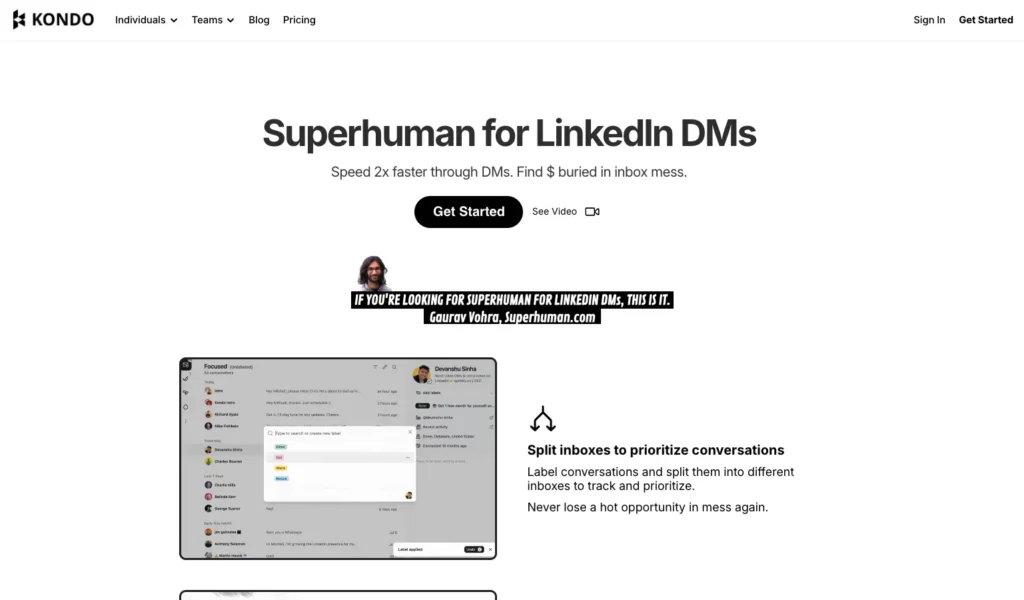
Best for: Founders who use LinkedIn for sales, hiring, or networking and are overwhelmed by a chaotic DM inbox.
While most founders focus on public-facing posts, the real deals in B2B happen in the DMs. Kondo is the secret weapon for founders who use LinkedIn for sales, hiring, or networking. It tackles the chaotic LinkedIn inbox—a notorious blind spot where critical opportunities are easily buried and lost.
Similarly, Kondo transforms your LinkedIn inbox into a streamlined communication hub often described as “Superhuman for LinkedIn,” helping you treat your inbox like a to-do list.
Key Features:
- Labels & Split Inboxes: Categorize conversations with custom labels (like “Hot Lead” or “Candidate”) and view them in separate, prioritized inboxes. This way, this instantly declutters your main view and ensures high-value messages don’t get lost.
- Reminders (Snooze): Set follow-up reminders with the “H” shortcut. The message disappears until it’s time for you to act on it, then resurfaces at the top of your inbox—ensuring timely follow-ups without relying on external tools.
- Keyboard Shortcuts: Plus, process your inbox at lightning speed with shortcuts for archiving messages (“E”), setting reminders (“H”), applying labels (“L”), and more, all without touching the mouse.
- Snippets: Save and reuse common messages with the “;” command. Personalize them with variables like “{firstName}” to eliminate repetitive typing while maintaining a personal touch.
- CRM & System Sync: (Business Tier) Automatically log LinkedIn conversations in tools like HubSpot, Salesforce, or Notion, providing visibility across your stack and saving manual data entry time.
Consequently, by implementing these features, founders can reclaim hours each week and ensure no important LinkedIn conversation falls through the cracks.
2. Zapier
Best for: Automating workflows by connecting the apps you already use.
Ultimately, Zapier is the digital duct tape that connects your social media tools to the rest of your business stack, eliminating manual data transfer and repetitive tasks.
Key Features:
- App Integration: Connect over 5,000 apps without coding knowledge
- Automated Workflows: Create “Zaps” that trigger actions across multiple platforms
- Templates: Start with pre-built workflows for common scenarios
- Filters and Conditions: Add logic to your automations for precise control
For social media specifically, Zapier enables powerful workflows like:
- Automatically sharing new blog posts across all social channels
- Creating a new row in Google Sheets for each new lead from social media
- For instance, connecting Kondo with your CRM to log LinkedIn conversations automatically.
Zapier offers a free plan for basic needs, with paid plans starting at $19.99/month as your automation requirements grow.
3. Socialinsider
Best for: Deep-dive competitive analysis and benchmarking.
Understanding how your social performance compares to competitors provides invaluable strategic insights. In fact, Socialinsider specializes in this competitive intelligence.
Key Features:
- Competitive Benchmarking: Directly compare your metrics against competitors
- Content Analysis: Identify which content types perform best in your industry
- Performance Trends: Track engagement rate changes over time
- Custom Reports: Generate shareable reports for stakeholders
With plans starting at $99/month, Socialinsider is an investment, but the strategic insights it provides can significantly improve your social media ROI by helping you focus on what actually works in your industry.
4. Doodle
Best for: Simplifying the scheduling of meetings that result from social media interactions.
Many founders overlook the critical final step in the social media workflow: moving conversations to meetings. As a result, Doodle eliminates the frustrating back-and-forth of finding a time to meet.
Key Features:
- Scheduling Polls: Share available time slots with one link
- Calendar Integration: Prevents double-booking across your scheduling tools
- Group Coordination: Find times that work for multiple participants
- Booking Page: Let people schedule directly into your calendar
By streamlining the process of moving from a LinkedIn or Twitter conversation to a formal meeting, Doodle helps close the loop on social media engagement. Moreover, their free plan works for basic needs, with premium features starting at $6.95/month.
Part 2: The All-in-One Command Centers
In particular, these foundational platforms help maintain a consistent presence across multiple channels, handling everything from content scheduling to basic analytics.
5. Buffer
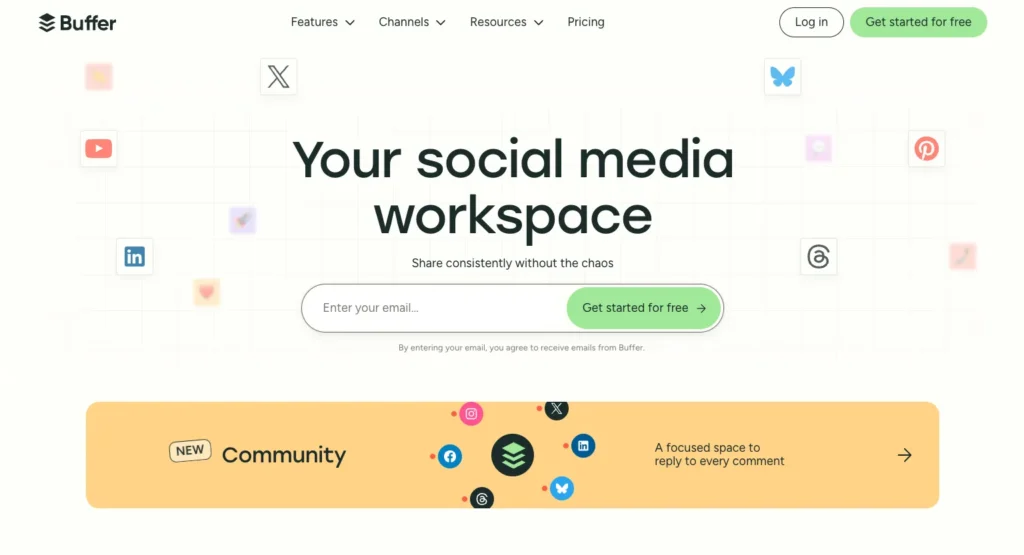
Best for: Creators and small businesses looking for straightforward, affordable social media scheduling.
Buffer stands out with its clean, intuitive interface that makes social media management feel manageable even for non-specialists. Additionally, the platform excels at streamlining your publishing workflow across multiple channels from a single calendar view.
Key Features:
- Scheduling: Plan and visualize your content calendar across platforms
- Content Curation: Store ideas, links, and notes in one place
- Community Management: Respond to comments and interactions from a central dashboard
- Analytics: Track key performance metrics with simple reports
- AI Assistant: Generate and refine content ideas when you’re stuck
Unlike more complex competitors, Buffer’s approachable design makes it perfect for founder-led social media. Their free forever plan supports up to three channels, with paid plans starting at just $6/month per channel.
6. Hootsuite
Best for: Mid-sized businesses that need robust social listening and in-depth analytics.
Hootsuite provides a more comprehensive dashboard for managing multiple social accounts, with particularly strong capabilities in monitoring brand mentions and competitor activity.
Key Features:
- Social Listening: Monitor brand mentions, keywords, and competitors
- In-depth Analytics: One Reddit user called Hootsuite “a game-changer for diving deep into analytics to see what’s working”
- Team Collaboration: Assign permissions and tasks to team members
- Content Library: Store and organize approved assets
The platform starts at €149/user/month, positioning it as a more enterprise-focused solution. While powerful, many founders find this pricing prohibitive in early stages.
7. Sprout Social
Best for: Companies integrating influencer marketing into their social strategy.
Sprout Social combines traditional social media management with influencer marketing capabilities in a unified platform.
Key Features:
- Influencer Discovery: Find and vet potential brand ambassadors
- Aesthetic Reporting: Create beautiful, presentation-ready performance reports
- Employee Advocacy: Mobilize your team to share company content
- Smart Inbox: Manage messages across platforms in one place
Starting at $199/seat/month, Sprout Social represents a premium option best suited for companies with dedicated social media resources and budget.
Part 3: The Niche Specialists
These tools excel at specific functions or platforms, allowing you to address particular pain points in your social media workflow.
8. Later

Best for: Visual-first content planning, especially for Instagram.
Later transforms how you plan visual content with its intuitive drag-and-drop calendar specifically designed for image-heavy platforms.
Key Features:
- Visual Planner: Drag and drop photos to see how your grid will look
- Media Library: Central repository for all your visual assets
- Creator Attribution: Automatically tag content creators in Instagram posts
- Hashtag Suggestions: Find relevant hashtags to increase post reach
Later is particularly valuable for product-based businesses or brands where aesthetics matter. Their plans start at $25/month, with a limited free option available for testing.
9. Canva
Best for: Quickly creating professional-looking social media graphics without design experience.
Canva has become indispensable for founders who lack dedicated design resources but need consistent, on-brand visuals across platforms.
Key Features:
- Template Library: Thousands of professionally designed templates for every platform
- Brand Kit: Store your colors, logos, and fonts for consistent branding
- Content Planner: Schedule posts directly to social platforms
- Magic Resize: Adapt designs to different platform dimensions instantly
Additionally, Canva’s robust free plan covers most basic needs, with Pro plans starting at $12.99/month for additional features and storage.
10. Manychat
Best for: Automating conversations in direct messages on Facebook and Instagram.
Consequently, as direct messaging becomes increasingly important for customer acquisition and support, Manychat helps founders automate routine interactions without losing the personal touch.
Key Features:
- Visual Flow Builder: Create conversation pathways without coding
- Lead Generation: Capture and qualify leads through automated conversations
- AI Assistant: Generate conversational flows based on your objectives
- CRM Integration: Sync conversation data with your customer database
Additionally, Manychat offers a free plan for basic functionality, with paid plans starting at $15/month as your automation needs grow.
Building Your Founder’s Social Media Toolkit
Ultimately, the key to effective social media management as a founder isn’t finding one perfect tool—it’s building a strategic toolkit that addresses each part of your workflow:
- Solve your biggest bottleneck first. Start with a game-changer like Kondo to ensure critical conversations don’t get lost, or Zapier to automate tedious workflows.
- Then, establish your command center with a tool like Buffer to maintain consistent posting and basic community management.
- Finally, add specialized tools like Canva for visuals or Later for Instagram-specific planning where they add the most value.
Take a moment to audit your current social media workflow. Where are your biggest time sinks? Which conversations are falling through the cracks? Start with one or two tools from this list that address your most painful points, then expand your toolkit as your needs evolve.
Ultimately, remember: the goal isn’t just to be present on social media—it’s to build meaningful connections that drive your business forward, without letting it consume all your time as a founder.
Frequently Asked Questions
For beginners and founders, the best social media management tool is often an all-in-one platform with a simple interface, like Buffer. It is highly recommended because its clean design and intuitive scheduling features allow you to maintain a consistent presence across multiple platforms without a steep learning curve. Its free plan is generous enough to get started, and its affordable paid tiers can scale with your business.
You can manage social media on a tight budget by leveraging tools that offer robust free-forever plans. For example, start with Buffer’s free plan for scheduling on up to three channels and Canva’s free version for creating all your visuals. Meanwhile, for automating tasks, Zapier also offers a free tier for basic workflows. Together, this combination provides a powerful, low-cost foundation for your social media strategy.
Founders need a social media toolkit because no single tool does everything. Buffer works well for scheduling, while Kondo handles important LinkedIn conversations. Using both solves specific problems without paying for unnecessary features.
The easiest way to create professional social media content without a designer is Canva. It offers thousands of templates you can customize with your brand’s colors, fonts, and logos. Its drag-and-drop interface is simple, and Magic Resize lets you adapt one design for multiple platforms instantly.
LinkedIn message management is vital for B2B founders. The inbox holds key sales, hiring, and partnership chats, but the native interface can be confusing. A messy inbox causes missed follow-ups and lost revenue. Kondo fixes this with labels and reminders, keeping every important conversation on track.
