


In the rapidly evolving landscape of digital content creation, the barrier between a creative idea and a professional-sounding audio track is vanishing. For decades, music production required expensive studio equipment, deep theoretical knowledge, and hours of mastering. Today, a new wave of technology is democratizing this process. At the forefront of this revolution is text to music technology, a groundbreaking innovation that turns simple written descriptions into full, rich musical compositions.
Platforms like ToMusic.ai are leading this charge, offering creators, marketers, and musicians a powerful tool to generate studio-quality audio instantly. Whether you are a YouTuber needing a copyright-free intro or a game developer looking for dynamic background scores, understanding how to leverage text to music AI is becoming an essential skill in the modern digital toolkit.
What is Text to Music?
At its core, text to music is a sophisticated application of generative artificial intelligence. It involves using Natural Language Processing (NLP) to interpret a user’s text prompt—such as “an upbeat 80s synth-pop track with a driving bassline”—and translating that semantic understanding into audio waveforms.
Unlike traditional MIDI generators that simply arrange pre-recorded loops, a Text to Music AI generates audio from scratch, pixel by pixel (or sample by sample). It understands musical concepts like harmony, rhythm, timbre, and structure.
The technology has evolved significantly. Early iterations produced simple, low-fidelity beeps. However, modern platforms utilize advanced neural networks, such as the V3 and V4 models found on ToMusic.ai, which are capable of handling complex arrangements, vocals, and intricate harmonies. This isn’t just about random noise generation; it is about an ai music generator from text that understands emotional nuance. For instance, if you type “a melancholic piano piece for a rainy scene,” the AI adjusts the tempo, key (likely minor), and instrumentation to match that specific mood perfectly.
Advantages of Text to Music Technology
Why are content creators shifting toward AI-generated audio? The benefits extend far beyond simple novelty.
- Speed and Efficiency
The most immediate advantage is time. Composing a 3-minute track from scratch can take days. Searching stock audio libraries for the “perfect” track can take hours. With text to music tools, you can generate a unique track in minutes. This rapid prototyping is invaluable for creators on tight deadlines.
- Copyright and Licensing Safety
One of the biggest pain points for digital creators is copyright strikes. Using a popular song in a YouTube video or Twitch stream can lead to demonetization or channel bans. ToMusic.ai addresses this by offering royalty-free licensing, even on generated tracks. This means the music you create is unique to you, eliminating the risk of Content ID claims that plague traditional stock music users.
- Cost-Effectiveness
Hiring a professional composer for a custom score is expensive, often costing hundreds or thousands of dollars per minute of audio. Subscription-based AI models offer a fraction of that cost. For indie developers or small business owners, this democratizes access to “bespoke” audio that fits their brand identity without breaking the bank.
- Overcoming Creative Blocks
Even professional musicians suffer from writer’s block. Text to music tools can serve as a collaborative partner. A songwriter might use the text to song feature to generate a melody idea based on a set of lyrics they’ve written, sparking inspiration for a final composition. It acts as an infinite idea generator.
- Customization and Control
Stock music is rigid; you cannot easily change the tempo or remove a specific instrument. AI generators often allow for deep customization. You can specify the exact length to fit your video cut, request a specific genre blend (e.g., “Lo-fi Hip Hop mixed with Jazz”), or adjust the emotional intensity.
How to Use Text to Music in 3 Simple Steps
Step 1: Select Your Creation Mode
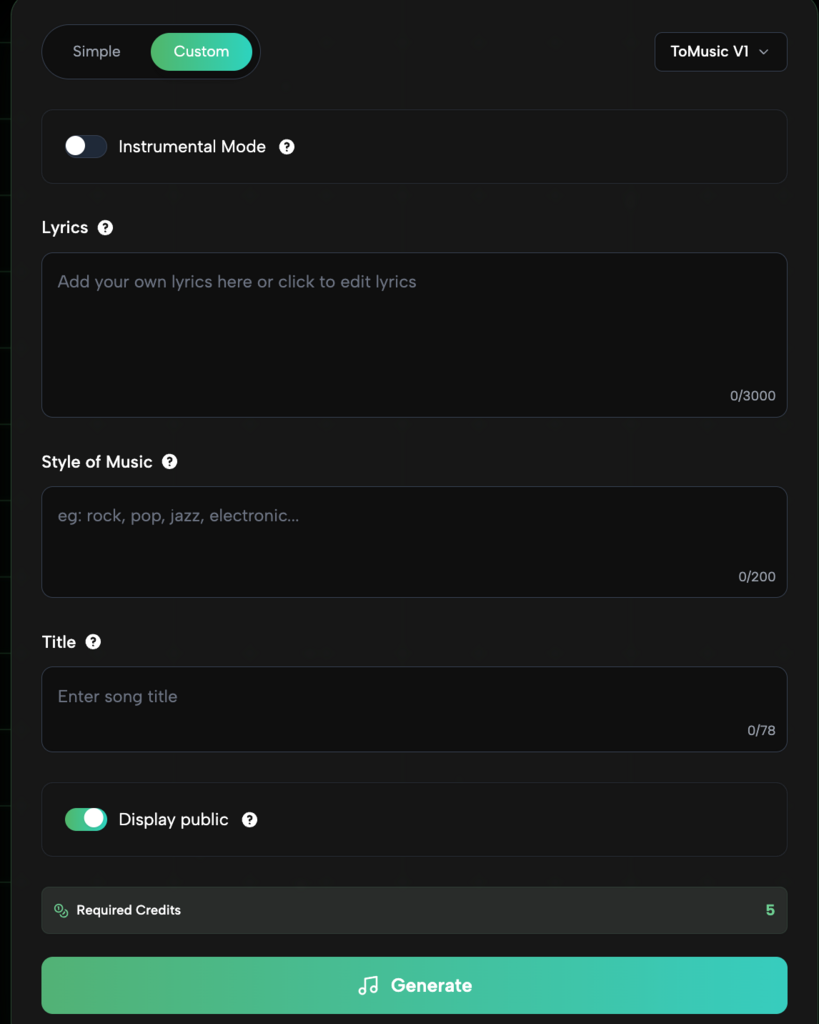
Start by choosing your workflow at the top of the Generator interface:
- Simple Mode: Best for quick results. Select this if you just want to describe a vibe or topic.
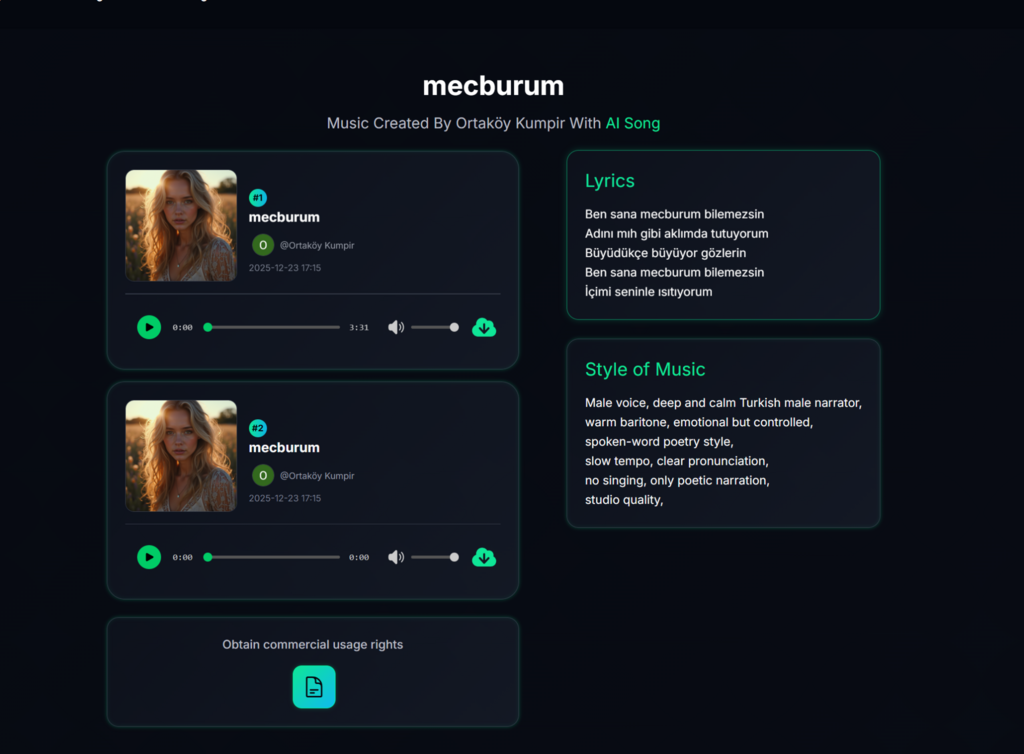
- Custom Mode: Best for songwriters. Select this to input specific lyrics, define a precise music style, and name your track.
Step 2: Input Your Prompts and Settings
Fill in the details based on your chosen mode:
- In Simple Mode, type a detailed prompt into the “Description” box (e.g., “upbeat jazz for a coffee shop”) and toggle “Instrumental Mode” if you don’t want vocals.
- In Custom Mode, paste your text into the “Lyrics” box (up to 3000 characters), specify the “Style of Music” (e.g., rock, electronic), and enter a “Title”.
Step 3: Generate Your Track
Review your settings, such as the “Display public” toggle to decide if others can see your song. Check the “Required Credits” count (typically 5 credits), then click the large green Generate button to create your song instantly.
Recommended Use Cases and Workflow Suggestions
To get the most out of an ai music generator from text, it helps to know where it fits best in your creative workflow.
For Video Content Creators (YouTubers & TikTokers)
- Scenario: You need background music that doesn’t overpower your voiceover.
- Workflow: Use prompts like “Low fidelity beats, repetitive, soft drums, no vocals.” Generate 3-4 variations and loop the best one. This ensures consistent audio branding without copyright flags.
Fr Game Developers
- Scenario: You are building an RPG and need different themes for different towns.
- Workflow: Create a “master prompt” for the game’s style (e.g., “16-bit retro fantasy chiptune”). Then, modify it for locations: “…happy and bustling for the market” or “…dark and eerie for the dungeon.” This ensures a cohesive soundtrack.
For Marketing and Advertising
- Scenario: A 15-second Instagram ad needs high-energy audio to grab attention immediately.
- Workflow: Use the text to song feature to generate a short jingle. Prompt for “high energy, pop style, catchy hook.” Sync the beat drops with your video transitions for maximum impact.
For Educators and Storytellers
- Scenario: You are creating an audio-book or a podcast and need transition music.
- Workflow: Use the “Story to Music” features. Input the mood of the upcoming chapter. This creates an immersive experience that keeps listeners engaged.
Conclusion
The era of Text to Music AI is not just coming; it is already here. Tools like ToMusic.ai have successfully bridged the gap between technical limitations and creative expression. By allowing users to convert a simple text prompt into a complex musical arrangement, these platforms are empowering a new generation of creators.
Whether you are looking for a robust ai music generator from text to score your next film, or simply exploring the creative possibilities of text to song technology, the potential is limitless. As AI models continue to advance, offering higher fidelity and more granular control, the ability to create music will become as fundamental and accessible as writing text. Now is the perfect time to experiment, learn, and integrate these tools into your workflow to stay ahead in the digital content game.
