


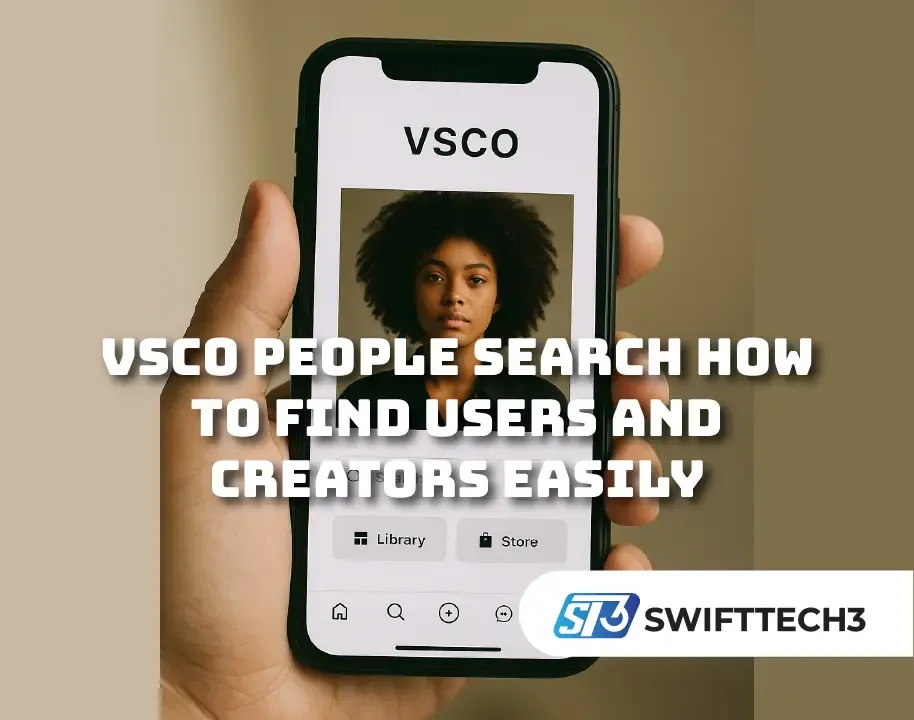
If you been scrolling through the VSCO app and suddenly remember a profile you wanted to check again but can’t find it, you’re not alone. Searching on VSCO can feel a bit tricky compared to other big apps. That’s why VSCO People Search kinda becomes a core tool for the community. Without it, users would just be floating, unable to connect with creators they vibe with.
Unlike Instagram or TikTok, VSCO is minimal. It’s not overloaded with ads or auto recommendations. That clean style is nice, but also means you gotta know how to search properly. And trust me, many ppl miss out cause they don’t use the feature right.
What Is VSCO People Search
In simple words, it’s the feature that lets you look for other users on VSCO. You can type usernames, real names (if they used it), hashtags, or creative tags. Once you do, you get results showing profiles, collections, or image feeds.
The vsco community depends on this because it’s basically the only way to explore people and art. When you make a vsco account, you’re stepping into a creative network, and without search you’d just stay hidden.
Step By Step How To Use It
The actual steps ain’t rocket science, but people still ask:
- Open the VSCO app on your phone.
- Tap the Discover (magnifying glass) icon at the bottom of the screen.
- Enter username, hashtag, or keyword like “film tones” or “sunset city”.
- Press enter and scroll results.
On a desktop browser, just open vsco.co and use the search.
According to the official VSCO help guide, this is the proper way to search profiles and tags. But keep in mind—VSCO don’t auto-correct spellings. If you type it wrong, you probably won’t find the user at all.
Why It Matters More Than People Think
Some folks assume it’s “just a search bar”, but nah—it’s more. The whole idea of vsco community runs on discovery. Here’s why it’s important:
- Helps creators grow by letting others actually find them
- Enables you to explore hashtags and discover fresh content
- Makes your own VSCO account visible to ppl searching your style
- Keeps the VSCO hub alive with networking and sharing
Without it, the app would feel like posting into space.
The Limitations That Still Bug Users
Even though VSCO People Search works, it got some flaws:
- No advanced filters like location or popularity
- If you got a public VSCO account, pretty much anyone can search you
- Misspellings = zero results, no forgiveness
- Search feels weaker compared to Insta or TikTok
So yea, it’s useful, but sometimes a little frustrating too.
Real Example How People Use It
Imagine you saw an amazing street photo tagged “citygrain”. Later you forgot the username. Instead of scrolling endlessly, you can type “citygrain” into the search, check hashtags, and there you go—the profile pops up again. That’s how people inside the VSCO hub actually find one another and keep following creative journeys.
Tips To Improve Your Searching
Here’s a few hacks to make life easier:
- If you know the username, type directly in browser like vsco.co/username
- Use hashtags like #sunsetglow or #filmgrain for mood-based search
- Sync your contacts on the VSCO app so it auto-finds friends already using VSCO
- Keep your own profile pic and bio clear so people reconize you quickly
- Respect privacy—just cause you can find someone don’t mean spam them
Comparison With Other Platforms
Compared to Instagram or TikTok, VSCO is slower and calmer. You won’t see trending reels or noisy ads. Some ppl think it’s too plain, but others like it cause it focus on art, not clout. Searching feels more intentional and less spammy.
For creatives, that’s gold. It means people who find your VSCO account are usually searching with purpose, not just scrolling mindlessly.
Pros And Cons
Pros
- Clean and minimal interface
- Hashtag searching is useful for styles
- Contact sync is handy for finding friends
Cons
- Weak search compared to other apps
- Spelling errors ruin searches
- No location or advanced filters

FAQs About VSCO People Search
Yes, you can view some profiles directly in browser if you know the link. But the in-app search works best once you log into your VSCO account.
Only if you entered it in your profile. If not, people just see your username.
Not really. VSCO don’t give strong privacy filters. If your account is public, people can find it.
Sometimes they deleted or deactivated their account. Other times it’s just cause the spelling is off.
Yes, go to VSCO.co, log in, and you’ll see the search option.
Final Takeaway
At the end of the day, VSCO People Search is a small but important tool for the VSCO community. It lets you discover creators, connect with friends, and share your own art more widely. Yeah, it’s got flaws—like no filters and spelling issues—but it fits the minimalist vibe of the platform.
If you wanna be found, make your VSCO account clear and add hashtags that match your style. And if you wanna discover, don’t be afraid to dig deep into tags and user names.
Searching on VSCO isn’t just about tracking someone—it’s about building your creative circle inside the vsco hub. That’s what makes the app unique compared to noisy social media spaces.
